Quay

Quay
License:
Trial version
Language:
English
Developer:
OS:
Mac OS X
Updated:
See detailed info

Softonic review

Cyril Roger

“Bring back hierarchical menus in Leopard”

by Cyril Roger about Quay

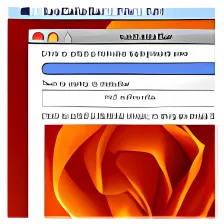
Leopard has Stacks to keep similar elements together on the Dock. For those of you that still have a hard time adjusting to this new feature, Quay brings hierarchical menus back to the Dock. Select an item or a folder as a base by dropping it on the Quay icon and then use that to launch your menu from.

Menus allow you to view the contents, sort the order of files or show only popular folders. You can also change the color and icon of a folder. A few users were put off by the fact that menus always pop up on the right, and hopefully in the next installment the developer will have allowed Quay to open up hierarchical menus on the left too. Clicking only once to open a menu also feels awkward at first but you quickly get used to it and it definitely speeds things up.

If you still find Stacks a bit awkward, set up Quay to bring back hierarchical menus to your Leopard Dock.


Pros
  • Brings back a Tiger feature
  • "Open Popular" menu
  • Anything can be selected as base
Cons
  • Click to open menu is confusing
  • Menus only appear on the right
Download Quay 1.1.1

Quay is virus free

We have analyzed the latest version of Quay with 30 antivirus engines and it is virus free. See analysis results.

TESTED VIRUS FREE - Softonic GUARANTEED

Developer's description

Mac OS X 10.5 (Leopard) introduced "Stacks" in the Dock. Many people, however, prefer the previous implementation of hierarchical popup menus from folders in the Dock. Quay is a simple app that brings back the hierarchical menus, but with several additional capabilities.

Why use Quay instead of some other, superficially similar, application? Quay items are on the right (or bottom) side of the Dock, just like you're used to. There are no apps running on the other side of the Dock; no extra distracting "running" lights. It uses the system's Dock, not a secondary palette or window.

Quay is a simple Cocoa application. You run it just to configure a popup item in the Dock. The Dock icons can be customized for better recognition. For the popups, it runs an on-demand background tool that uses very little CPU time and memory.

Quay does no magic. It doesn't hack the Dock in any way, and calls no private system interfaces.

Review and rate Quay

Your avatar

Your opinion is important.
Help other users - be the first to review this program.

Review
  1. Maximum: 75 characters

  2. See example

Pros and Cons
Rate
  1. What rating would you give Quay?

    You need to fill in all fields

    • Usability:

      Not rated
    • Stability:

      Not rated
    • Installation:

      Not rated
    • Functionality:

      Not rated
    • Appearance:

      Not rated
    • Overall rating:

      Not rated
  2. Don't worry, we won't make your email address public.

You're not allowed to share serial numbers, cracks, etc. or link to pages that contain them. If you do, your user account will be deleted, your IP address logged and legal action will be taken.

Get started - just ask a question!

Write a title for your question.

Alternativesto Quay

  • In English:
    X-MasTree
    X-MasTree

    A Christmas tree for your Mac

    Softonic rating:
    • 9/10
    User rating:
    • 10/10
  • Free:
    Desktopia
    Desktopia

    Alternate wallpapers automatically

    Softonic rating:
    • 10/10
    User rating:
    • 1/10
Compare with Quay
Download rank: Desktop & Menu Bar

44 of 64

Softonic rating:
  • Excellent
  • 9/10
User rating: (2 ratings)
  • Excellent
  • 10/10
Your rating:
Your rating
  • 0

Review and rate this program

Blog posts about Quay

More

Top Downloads: Desktop & Menu Bar

  • United States
  • Global

  1. Add 3 dimensions to your desktop